
HP ProLiant SL4500 Series Chassis Maintenance and Service Guide

Removal and replacement procedures 59
o
3 node chassis
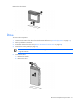
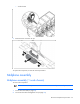
7. Remove the fan connector ear pin.
To replace the component, reverse the removal procedure.
Midplane assembly
Midplane assembly (1 node chassis)
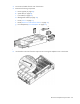
To remove the component:
IMPORTANT: All components must be removed to service the midplane assembly.
1. Power down the node (on page 36).
2. Disconnect the cable management arm (on page 38).