
HP ProLiant SL4500 Series Chassis Maintenance and Service Guide

Removal and replacement procedures 57
o
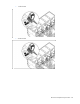
3 node chassis
To replace the component, reverse the removal procedure.
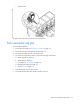
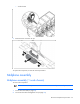
Fan connector ear pin
To remove the component:
1. Power down the nodes ("Power down the node" on page 36).
2. Disconnect the cable management arm (on page 38).
3. Disconnect all cables from the rear of the chassis.
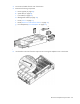
4. To reduce the weight of the chassis, remove the following components:
a. Power supplies (on page 43)
b. System fans (on page 42)
c. I/O modules ("I/O module" on page 44)
d. Management module (on page 43)
e. Drives ("Drive" on page 51)
5. Place the chassis on a flat, level surface.
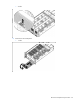
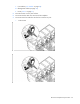
6. Disconnect the fan cable from the fan connector ear pins: