
HP ProLiant SL4500 Series Chassis Maintenance and Service Guide

Removal and replacement procedures 53
Drive backplane
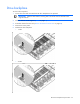
To remove the component:
1. Power down the node associated with the drive backplane to be replaced.
IMPORTANT: Label the drives before removing them. The drives must be returned to their
original locations.
2. Remove all drives in that segment ("Drive" on page 51).
3. Extend the chassis from the rack ("Remove the chassis from the rack" on page 38).
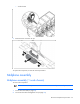
4. Remove the access panel.
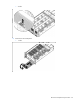
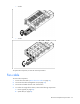
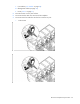
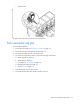
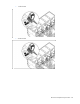
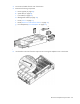
5. Release the drive backplane:
o 1 node
o 2 node