
HP ProLiant SL4500 Series Chassis Maintenance and Service Guide

Removal and replacement procedures 52
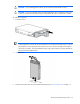
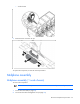
CAUTION: To avoid damage to the device, do not use the removal handle to carry it.
CAUTION: To prevent improper cooling and thermal damage, do not operate the node or the
enclosure unless all drive and device bays are populated with either a component or a blank.
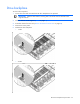
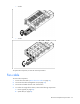
To install the component:
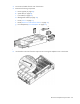
1. Prepare the drive.
IMPORTANT: The 1 node chassis supports up to 30 drives per drive backplane. The 2 node
chassis supports up to 25 drives per drive backplane. The 3-node chassis supports up to 15 drives
per backplane. Always populate drive bays from the rear to the front starting with the highest
device bay ID number. All unpopulated drive bays require drive blanks to properly distribute air
flow and cool the installed drives.
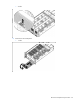
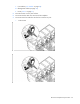
2. Install the drive.
3. Determine the status of the drive from the drive LED definitions ("Drive display LEDs" on page 79).