
Open Source Object Storage for Unstructured Data: Ceph on HP ProLiant SL4540 Gen8 Servers



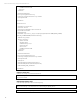

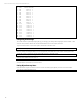
Table Of Contents
- Executive summary
- Introduction
- Overview
- Solution components
- Workload testing
- Configuration guidance
- Bill of materials
- Summary
- Appendix A: Sample Reference Ceph Configuration File
- Appendix B: Sample Reference Pool Configuration
- Appendix C: Syntactical Conventions for command samples
- Appendix D: Server Preparation
- Appendix E: Cluster Installation
- Naming Conventions
- Ceph Deploy Setup
- Ceph Node Setup
- Create a Cluster
- Add Object Gateways
- Apache/FastCGI W/100-Continue
- Configure Apache/FastCGI
- Enable SSL
- Install Ceph Object Gateway
- Add gateway configuration to Ceph
- Redeploy Ceph Configuration
- Create Data Directory
- Create Gateway Configuration
- Enable the Configuration
- Add Ceph Object Gateway Script
- Generate Keyring and Key for the Gateway
- Restart Services and Start the Gateway
- Create a Gateway User
- Appendix F: Newer Ceph Features
- Appendix G: Helpful Commands
- Appendix H: Workload Tool Detail
- Glossary
- For more information

Reference Architecture| Ceph on HP ProLiant SL4540 Gen8 Servers
-1 546 root default
-2 54.6 host hp-osdhost01
0 2.73 osd.0 up 1
1 2.73 osd.1 up 1
2 2.73 osd.2 up 1
3 2.73 osd.3 up 1
4 2.73 osd.4 up 1
5 2.73 osd.5 up 1
6 2.73 osd.6 up 1
7 2.73 osd.7 up 1
8 2.73 osd.8 up 1
9 2.73 osd.9 up 1
10 2.73 osd.10 up 1
11 2.73 osd.11 up 1
12 2.73 osd.12 up 1
13 2.73 osd.13 up 1
14 2.73 osd.14 up 1
15 2.73 osd.15 up 1
16 2.73 osd.16 up 1
17 2.73 osd.17 up 1
18 2.73 osd.18 up 1
19 2.73 osd.19 up 1
Configuring Pool Settings
This is often useful for dynamically changing the pg_num and pgp_num settings after changing the number of OSDs. There
are a few other parameters that can be set if needed like CRUSH rule set or the replica parameters.
To get current information on pools in the system, execute this on an admin node:
sudo ceph osd dump | grep pool
Here is an example for setting the data pool on an object gateway for 60 OSDs with a 3 way replica. If total pgs should be
around: (60 * 100)/3 == 2000, try to choose a reasonable power of 2 under that number.
sudo ceph osd pool set .rgw.buckets pg_num 1024
Wait until cluster settles down with ‘ceph –w’:
sudo ceph osd pool set .rgw.buckets pgp_num 1024
See Appendix B for an example of pool dump output.
Listing Object Gateway Users
If the administrator forgets a username or there’s a need to list existing object gateway users this command is helpful.
sudo radosgw-admin metadata list user
50