
Open Source Object Storage for Unstructured Data: Ceph on HP ProLiant SL4540 Gen8 Servers
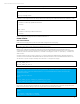
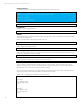


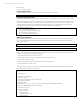

Table Of Contents
- Executive summary
- Introduction
- Overview
- Solution components
- Workload testing
- Configuration guidance
- Bill of materials
- Summary
- Appendix A: Sample Reference Ceph Configuration File
- Appendix B: Sample Reference Pool Configuration
- Appendix C: Syntactical Conventions for command samples
- Appendix D: Server Preparation
- Appendix E: Cluster Installation
- Naming Conventions
- Ceph Deploy Setup
- Ceph Node Setup
- Create a Cluster
- Add Object Gateways
- Apache/FastCGI W/100-Continue
- Configure Apache/FastCGI
- Enable SSL
- Install Ceph Object Gateway
- Add gateway configuration to Ceph
- Redeploy Ceph Configuration
- Create Data Directory
- Create Gateway Configuration
- Enable the Configuration
- Add Ceph Object Gateway Script
- Generate Keyring and Key for the Gateway
- Restart Services and Start the Gateway
- Create a Gateway User
- Appendix F: Newer Ceph Features
- Appendix G: Helpful Commands
- Appendix H: Workload Tool Detail
- Glossary
- For more information

Reference Architecture| Ceph on HP ProLiant SL4540 Gen8 Servers
Allow from all
AuthBasicAuthoritative Off
</Directory>
</IfModule>
AllowEncodedSlashes On
ErrorLog /var/log/apache2/error.log
CustomLog /var/log/apache2/access.log combined
ServerSignature Off
</VirtualHost>
<VirtualHost *:443>
ServerName <hp-cephmon01>
ServerAlias *.ldev.net
ServerAdmin cloudplay@hp-cephmon01.ldev.net
DocumentRoot /var/www
RewriteEngine On
RewriteRule ^/([a-zA-Z0-9-_.]*)([/]?.*) /s3gw.fcgi?page=$1¶ms=$2&%{QUERY_STRING}
[E=HTTP_AUTHORIZATION:%{HTTP:Authorization},L]
<IfModule mod_fastcgi.c>
<Directory /var/www>
Options +ExecCGI
AllowOverride All
SetHandler fastcgi-script
Order allow,deny
Allow from all
AuthBasicAuthoritative Off
</Directory>
</IfModule>
AllowEncodedSlashes On
ErrorLog /var/log/apache2/error.log
CustomLog /var/log/apache2/access.log combined
ServerSignature Off
SSLEngine on
SSLCertificateFile /etc/apache2/ssl/apache.crt
SSLCertificateKeyFile /etc/apache2/ssl/apache.key
SetEnv SERVER_PORT_SECURE 443
</VirtualHost>
Enable the Configuration
Enable the site for rgw.conf, disable the default site.
sudo a2ensite rgw.conf
sudo a2dissite default
Add Ceph Object Gateway Script
Create the object gateway script in /var/www/s3gw.fcgi
#!/bin/sh
exec /usr/bin/radosgw -c /etc/ceph/ceph.conf -n client.radosgw.<gateway name>
Make sure the script is executable.
sudo chmod +x /var/www/s3gw.fcgi
46