
Open Source Object Storage for Unstructured Data: Ceph on HP ProLiant SL4540 Gen8 Servers
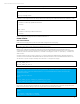



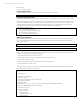
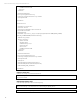

Table Of Contents
- Executive summary
- Introduction
- Overview
- Solution components
- Workload testing
- Configuration guidance
- Bill of materials
- Summary
- Appendix A: Sample Reference Ceph Configuration File
- Appendix B: Sample Reference Pool Configuration
- Appendix C: Syntactical Conventions for command samples
- Appendix D: Server Preparation
- Appendix E: Cluster Installation
- Naming Conventions
- Ceph Deploy Setup
- Ceph Node Setup
- Create a Cluster
- Add Object Gateways
- Apache/FastCGI W/100-Continue
- Configure Apache/FastCGI
- Enable SSL
- Install Ceph Object Gateway
- Add gateway configuration to Ceph
- Redeploy Ceph Configuration
- Create Data Directory
- Create Gateway Configuration
- Enable the Configuration
- Add Ceph Object Gateway Script
- Generate Keyring and Key for the Gateway
- Restart Services and Start the Gateway
- Create a Gateway User
- Appendix F: Newer Ceph Features
- Appendix G: Helpful Commands
- Appendix H: Workload Tool Detail
- Glossary
- For more information

Reference Architecture| Ceph on HP ProLiant SL4540 Gen8 Servers
Install Ceph Software
This step pulls down the Ceph distribution packages and installs onto all cluster role servers.
If using ceph-deploy to install Ceph packages and using a proxy server to get to the internet, edit wgetrc’s proxy
configuration under all Ubuntu nodes. Otherwise, ‘ceph-deploy install’ will get stuck trying to get the release key with wget.
Aptitude should be configured with proper proxy settings during OS installation.
Example from /etc/wgetrc
https_proxy = <proper proxy server url>
http_proxy = <proper proxy server url>
ceph-deploy install --release dumpling <node01>...<nodexx>
Create Monitors
Add initial monitors and gather the keys.
ceph-deploy mon create-initial <monitor01>…<monitorxx>
Add OSDs
The typical manual flow for adding an OSD to the cluster with SSD journals is below, with the SSD as /dev/sdt and the OSD
on /dev/sda for the target host.
If there’s no partition table on the target journal SSD, create one.
ssh hp-osdhost01 sudo “parted -s /dev/sdt mklabel gpt”
Create partition on the target journal SSD.
ssh hp-osdhost01 -s mkpart cephjournal01 0G 4G
Create new partition table on the OSD. ceph-deploy has failed trying to clear a partition table when repurposing a drive; an
explicit redo of the table has proved more reliable.
ssh hp-osdhost01 sudo "parted -s /dev/sda mklabel gpt"
Prepare and activate the OSD (create command does both it in one step)
ceph-deploy --overwrite-conf osd create hp-osdhost01:sda:sdt1
The scripts below are simple examples for setting up all drives on a box in a batch. These are not robust (no real error
handling, output help, etc.) but can be a useful starting point for command syntax/function. All these scripts assume the
install instructions above such that no ssh password entry is necessary.
A more robust creation mechanism would probably leverage orchestrating software, but even with occasional hiccups the
scripts below generally suffice if adding new OSDs is not all that common of a task.
Sample script for creating SSD journal partitions, 4 per ssd interleave.
#!/bin/bash
tgtsys=${1}
if [ -z "${tgtsys}" ]; then
echo "No target system."
exit 1
fi
tgtdrv=${2}
if [ -z "${tgtdrv}" ]; then
echo "No target disk."
exit 1
fi
42