
Open Source Object Storage for Unstructured Data: Ceph on HP ProLiant SL4540 Gen8 Servers

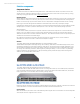

Table Of Contents
- Executive summary
- Introduction
- Overview
- Solution components
- Workload testing
- Configuration guidance
- Bill of materials
- Summary
- Appendix A: Sample Reference Ceph Configuration File
- Appendix B: Sample Reference Pool Configuration
- Appendix C: Syntactical Conventions for command samples
- Appendix D: Server Preparation
- Appendix E: Cluster Installation
- Naming Conventions
- Ceph Deploy Setup
- Ceph Node Setup
- Create a Cluster
- Add Object Gateways
- Apache/FastCGI W/100-Continue
- Configure Apache/FastCGI
- Enable SSL
- Install Ceph Object Gateway
- Add gateway configuration to Ceph
- Redeploy Ceph Configuration
- Create Data Directory
- Create Gateway Configuration
- Enable the Configuration
- Add Ceph Object Gateway Script
- Generate Keyring and Key for the Gateway
- Restart Services and Start the Gateway
- Create a Gateway User
- Appendix F: Newer Ceph Features
- Appendix G: Helpful Commands
- Appendix H: Workload Tool Detail
- Glossary
- For more information
Reference Architecture| Ceph on HP ProLiant SL4540 Gen8 Servers
Management nodes
The 1U HP ProLiant DL360p Gen8 Server is a dual socket server, with a choice of Intel® Xeon® E5-2600 v2 and Intel® Xeon®
E5-2600 processors, up to 768GB of memory, and two expansion slots. Network connectivity can be provided through
FlexibleLOM in a 4x1GbE NIC configuration or a 2x10GbE configuration. For storage, various configurations are available with
LFF or SFF drives with an HP Smart Array P420i controller.
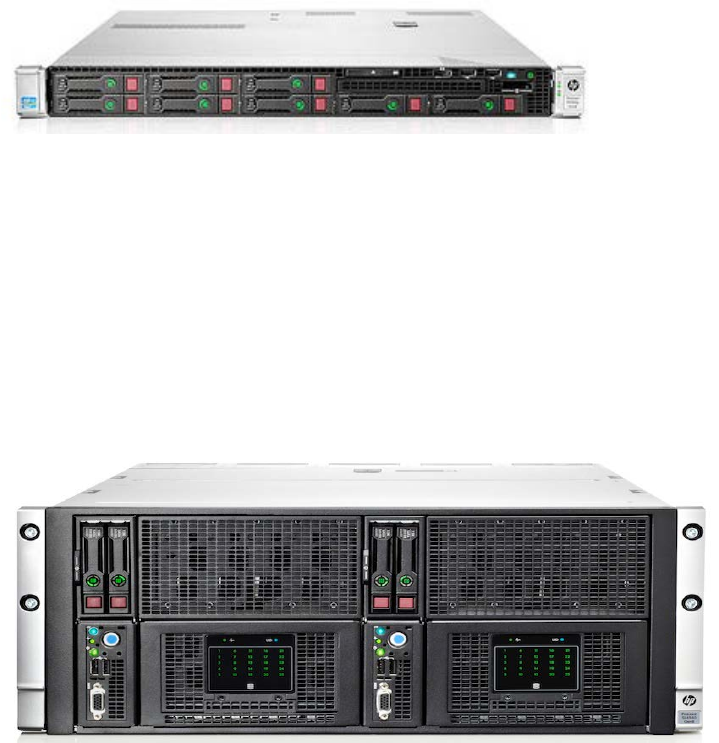
The HP ProLiant DL360p Gen8 Server was chosen to keep rack space requirements minimal for nodes where storage
density was not the issue, but still provide good network bandwidth and compute power. An 8SFF drive configuration is used
in the sample reference configuration, but the storage on the HP ProLiant DL360p Gen8 Server is not particularly important
to Ceph functionality outside of providing a reliable mirrored OS boot drive.
Figure 10: HP ProLiant DL360p Gen8 Server
Object storage nodes
The two-node configuration of the HP ProLiant SL4540 Gen8 Server consists of up to two compute nodes and a total of 50
large form factor (LFF) 3.5" hard disk drives (HDD) in the chassis. The HP ProLiant SL4540 Gen8 Server is a dual socket
server, with a choice of five different Intel® Xeon® processors, up to 288GB of memory and one PCIe slot for expansion per
node. Every compute node also has its own dedicated networking ports with 1GbE and 10GbE choices available.
The HP ProLiant SL4540 Gen8 Server was chosen as a chassis due to its focus on rack storage density, matching
unstructured storage requirements. The 2x25 configuration specifically gives a good balance point between maximum CPU
per node and colder use case storage density for tests that create a performance baseline.
Testing was done with 4.86 array controller firmware on the SL4540’s P420i; ensure Smart Array controller firmware is the
latest released before doing scale testing or deployment.
Figure 11: HP ProLiant SL4540 (2 x 25) Gen8 Server
Sample reference configuration design
The sample reference configuration could have represented anything from a minimal test configuration to multiple
performance optimized data centers (PODs). A bill of materials (BOM) of five HP ProLiant Gen8 SL4540 and three HP
ProLiant DL360p Gen8 Servers was chosen because it’s a size representative of enterprise data needs without being too
large to be a reasonable initial deployment use case for many readers.
For raw capacity, this configuration could reach 1PB (50 4TB drives x 5), which is both a good conceptual scale number and a
point where enterprise platform architectures make TCO sense versus smaller ‘white box’ configurations. 1PB raw of 4TB
even in 12 drive 2u boxes would still be an entire 42u rack worth (with no space for TOR switching etc.), and more standard
scale-out platforms are even less rack space/port efficient.
HP’s drive choice was lower cost/density but still performant midline 3TB device. Another important storage design choice in
this reference configuration is using SSD journals. Due to the architecture of Ceph’s object commits significant ‘PUT’
performance will be gained by committing the journal and data parts of the object IO on different devices.
16