
Open Source Object Storage for Unstructured Data: Ceph on HP ProLiant SL4540 Gen8 Servers

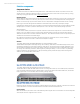
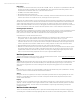


Table Of Contents
- Executive summary
- Introduction
- Overview
- Solution components
- Workload testing
- Configuration guidance
- Bill of materials
- Summary
- Appendix A: Sample Reference Ceph Configuration File
- Appendix B: Sample Reference Pool Configuration
- Appendix C: Syntactical Conventions for command samples
- Appendix D: Server Preparation
- Appendix E: Cluster Installation
- Naming Conventions
- Ceph Deploy Setup
- Ceph Node Setup
- Create a Cluster
- Add Object Gateways
- Apache/FastCGI W/100-Continue
- Configure Apache/FastCGI
- Enable SSL
- Install Ceph Object Gateway
- Add gateway configuration to Ceph
- Redeploy Ceph Configuration
- Create Data Directory
- Create Gateway Configuration
- Enable the Configuration
- Add Ceph Object Gateway Script
- Generate Keyring and Key for the Gateway
- Restart Services and Start the Gateway
- Create a Gateway User
- Appendix F: Newer Ceph Features
- Appendix G: Helpful Commands
- Appendix H: Workload Tool Detail
- Glossary
- For more information
Reference Architecture | Product, solution, or service
Solution components
Component choices
This section describes more detailed reasoning behind some of the hardware and software components chosen for the
sample reference configuration. Decisions made for component sizing choices in the cluster (compute, memory, storage,
networking topology) are described under Configuration guidance.
Operating system
Ubuntu is the Linux OS distribution that has been tested the most with Ceph, and Ubuntu 12.04 LTS is the most appropriate
current release for enterprise use. The Long Term Support (LTS) version focuses on stability rather than including newest
features. It is also the only supported cluster Ubuntu version for Ceph Calamari management software at time of writing.
HP strongly recommends having internet available for OS install and Ceph cluster setup, especially for package
management. If installing Ubuntu 12.04 completely from media, the kernel and OS packages should be updated from what
initially shipped to current. It’s possible to install Ceph from source code and/or set up internal package repositories.
Other Distributions
For later Ubuntu releases, Ceph cluster is supported on Ubuntu 13.04 and will be supported on 14.04 LTS in the future.
Ubuntu 13.10 is not officially supported as of this writing. Red Hat is better supported now than in the past; HP hasn’t
attempted to characterize a non-Ubuntu distribution at this time. More detail about what versions are supported by Ceph is
available from their official documentation pages.
OS configuration instructions and samples in this document are from using Ubuntu 12.04.3. If other releases or
distributions are used, this document’s content must be adapted accordingly.
Switches
Top of Rack (TOR) switches (HP 5900AF-48XG-4QSPF+) for Data and Replication traffic
The HP 5900AF-48XG-4QSPF+ 10GbE high-density, ultra-low latency, TOR switch provides IRF Bonding and sFlow, which
simplifies the management, monitoring and resiliency of the network. This model has 48x 10-Gigabit / Gigabit SFP+ ports
with four QSFP+ 40-Gigabit ports for ultra-high capacity connections. The high performance 10 GbE networking provides
cut-through and nonblocking architecture, delivering industry-leading low latency (~1 microsecond) for very demanding
enterprise applications. The switch delivers a 1.28 Tbps switching capacity and 952.32 Mpps packet forwarding rate in
addition to incorporating 9 MB of packet buffers.
Figure 8: HP 5900AF-48X-4QSF+ Top of Rack (TOR) switch
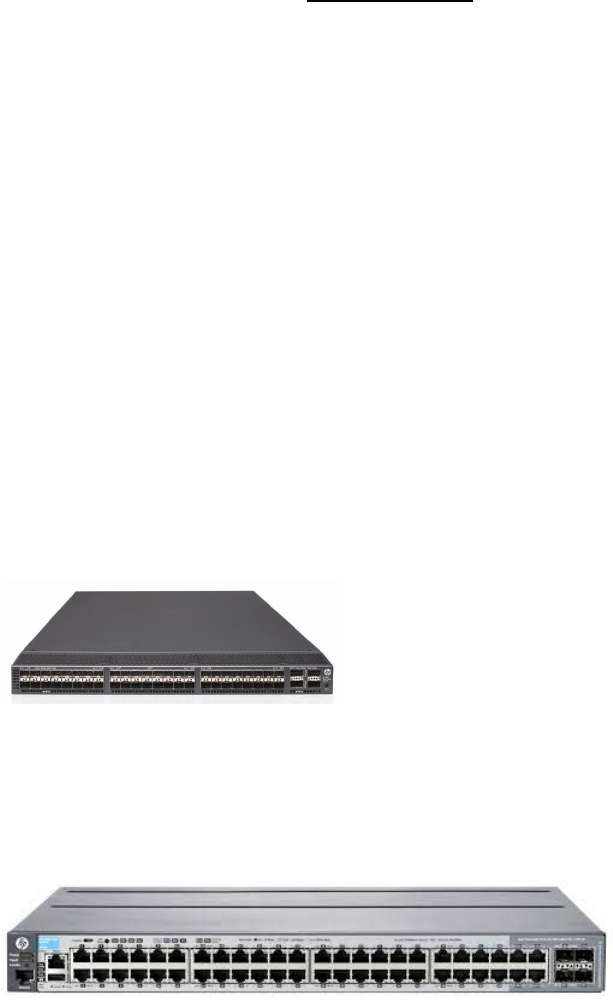
Top of Rack (TOR) switches (HP 2920-48G) for HP iLO and management
The HP 2920-48G is an ideal TOR 1GbE switch for denser rack configurations with up to four 10GbE uplinks, and 48 1GbE
ports. A dedicated management switch for HP iLO traffic is required for the HP ProLiant SL4540 Gen8 Server, and this also
helps segment other non-cluster traffic (SSH connectivity, package updates).
Figure 9: HP 2920-48GTop of Rack (TOR) switch
Both of the switches referenced are rear-facing, in that the cables for the switch are connected on the same side of the rack
as the cables that are connected to the NICs at the back of the HP ProLiant SL4540 Gen8 Servers.
Server selection
Within this architecture, the cluster can be scaled effectively while using the same server hardware. This section briefly talks
about sample reference configuration server choices.
15