
HP ProLiant SL4540 Gen8 Server Node Maintenance and Service Guide
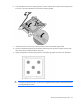
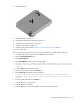
Table Of Contents
- HP ProLiant SL4540 Gen8 Server Node Maintenance and Service Guide
- Abstract
- Notice
- Contents
- Customer self repair
- Illustrated parts catalog
- Removal and replacement procedures
- Troubleshooting
- Diagnostic tools
- Component identification
- Cabling
- Specifications
- Acronyms and abbreviations
- Documentation feedback
- Index
Removal and replacement procedures 46
12.
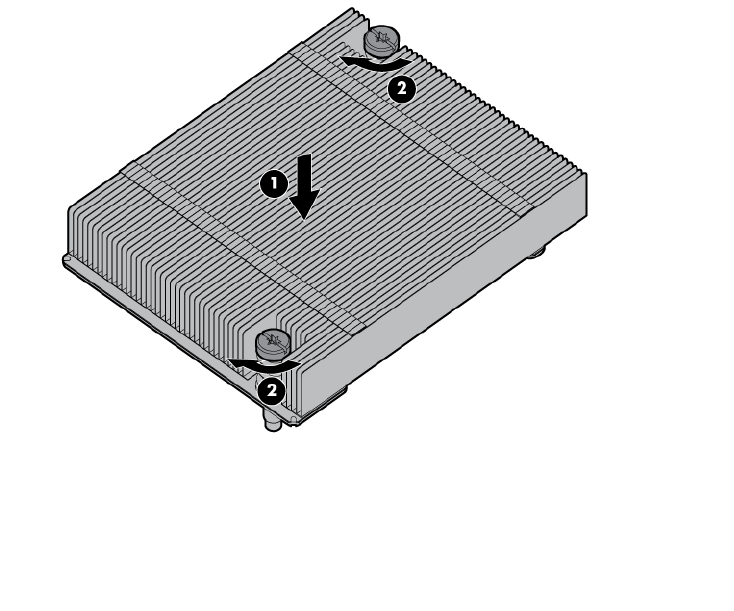
Install the heatsink.
13. Install the DIMMs (on page 28).
14. Install the personality board assembly (on page 37).
15. Install the SUV interface board (on page 38).
16. Install the access panel (on page 24).
17. Install the node into the chassis ("Installing a node into the chassis" on page 23).
18. Power up the node.
After you replace the system board, you must re-enter the node serial number and the product ID.
1. During the node startup sequence, press the F9 key to access RBSU.
2. Select the Advanced Options menu.
3. Select Service Options.
4. Select Serial Number. The following warning appears:
Warning: The serial number should ONLY be modified by qualified service
personnel. This value should always match the serial number located on the
chassis.
5. Press the Enter key to clear the warning.
6. Enter the serial number and press the Enter key.
7. Select Product ID. The following warning appears:
Warning: The Product ID should ONLY be modified by qualified service
personnel. This value should always match the Product ID located on the
chassis.
8. Enter the product ID and press the Enter key.
9. Press the Esc key to close the menu.
10. Press the Esc key to exit RBSU.
11. Press the F10 key to confirm exiting RBSU. The node automatically reboots.