
HP ProLiant SL4540 Gen8 Server Node Maintenance and Service Guide
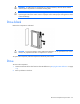
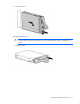
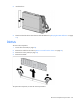
Table Of Contents
- HP ProLiant SL4540 Gen8 Server Node Maintenance and Service Guide
- Abstract
- Notice
- Contents
- Customer self repair
- Illustrated parts catalog
- Removal and replacement procedures
- Troubleshooting
- Diagnostic tools
- Component identification
- Cabling
- Specifications
- Acronyms and abbreviations
- Documentation feedback
- Index
Removal and replacement procedures 26
WARNING: To reduce the risk of personal injury from hot surfaces, allow the drives and the
internal system components to cool before touching them.
CAUTION: Do not operate the node for long periods with the access panel open or removed.
Operating the node in this manner results in improper airflow and improper cooling that can lead
to thermal damage.
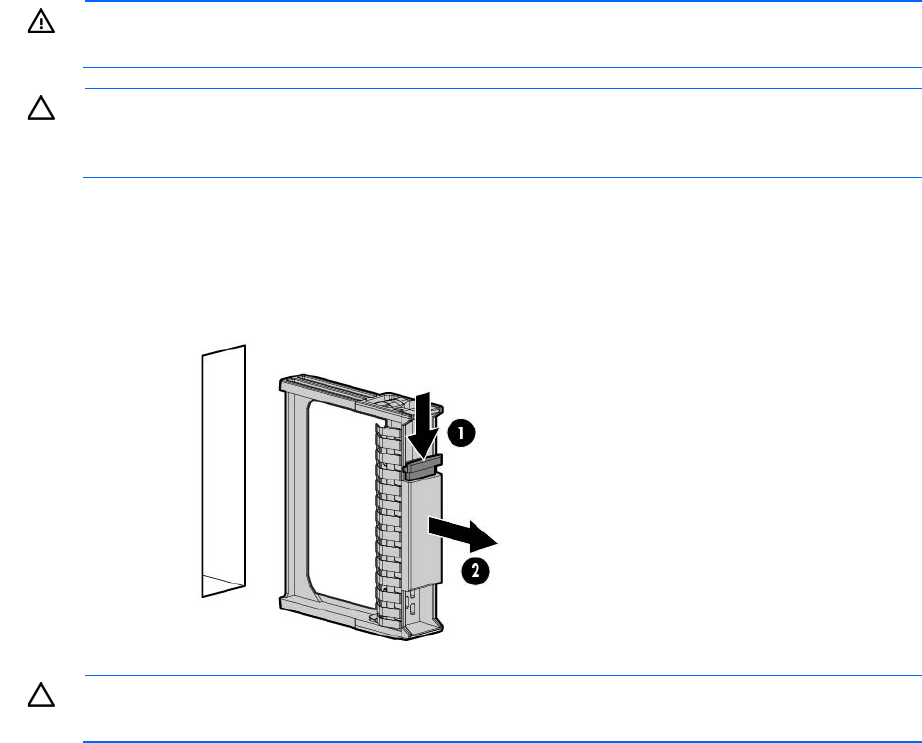
Drive blank
Remove the component as indicated.
CAUTION: To prevent improper cooling and thermal damage, do not operate the server unless
all bays are populated with either a component or a blank.
To replace the component, slide the component into the bay until it clicks.
Drive
To remove the component:
1. Determine the status of the drive from the drive LED definitions ("Hot-plug drive LED definitions" on page
53).
2. Back up all data on the drive.