
HP ProLiant SL390s G7 1U Half-width Server Installation Sheet

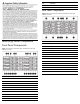
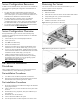
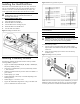
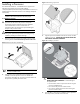
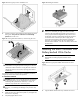
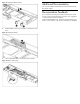


Figure 15 Installing the BBWC bracket
3. Install the BBWC into the tray and slide it in the direction of the
arrow.
Figure 16 Installing the BBWC
4. Connect the BBWC cable to an HP Smart Array controller.
Figure 17 BBWC cable routing
Additional Documentation
You can access additional information and documentation from the
HP external website.
Documentation Feedback
HP is committed to providing documentation that meets your needs.
To help us improve the documentation, send any errors, suggestions,
or comments to Documentation Feedback
(mailto:docsfeedback@hp.com). Include the document title and part
number, version number, or the URL when submitting your feedback.