HP ProLiant SL250s Gen8 Server User Guide
Manuals
Brands
HP Manuals
Server
HP ProLiant SL250s Gen8 Server
41
42
43
44
45
46
47
48
49
50
Hardware
options installation
47
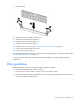
9.
Remove the G
PU blank from t
he cage.
10.
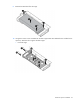
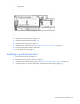
Using the six M2.5 screws included with the GPU cage and the four flathead screws included in the
option kit, attach the drive cages to the GPU cages:
o
Front GPU cage
1
...
...
45
46
47
48
49
...
...
115