
HP ProLiant SL250s Gen8 Server User Guide


Hardware options installation 60
GPU population rules
Observe the following population rules when installing a GPU in the server:
CAUTION: For proper cooling, be sure that all slots in the GPU cage are occupied by a GPU or
a GPU blank.
Number of GPU Rear GPU cage
bottom bay (PCIe x16
slot 1 = GPU 1)
Rear GPU cage top bay
(PCIe x16 slot 2 = GPU
2)
Front GPU cage
(PCIe x16 slot 3 = GPU 3)
1
GPU blank GPU blank Yes
2
GPU blank Yes Yes
3
Yes Yes Yes
Installing GPU brackets
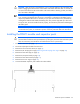
WARNING: To reduce the risk of personal injury from hot surfaces, allow the drives and the
internal system components to cool before touching them.
1. Power down the server (on page 15).
2. Disconnect all peripheral cables from the server.
3. Remove the server from the chassis (on page 15).
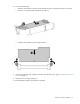
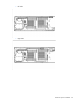
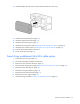
4. To install GPU in front cage:
a. Remove the front GPU cage (on page 16).