
HP ProLiant SL250s Gen8 Server User Guide


Hardware options installation 57
17.
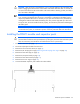
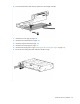
Route the Mini-SAS cable from the storage controller and connect it to the SFF hot-plug drive cage
backplane. For more information see Mini-SAS cabling (on page 79).
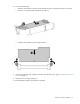
18. Install the server into the chassis ("Installing the server into the chassis" on page 31).
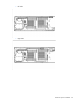
19. Connect all peripheral cables to the server.
20. Power up the server (on page 15).
Expansion board options
Installing an expansion board
1. Power down the server (on page 15).
2. Remove the server from the chassis (on page 15).
3. Remove the SFF hot-plug drive cage ("Removing the SFF hot-plug drive cage" on page 22).
4. Remove the front GPU cage (on page 16).
5. Remove the interposer board (on page 18).
6. Remove the front GPU bracket (on page 19).
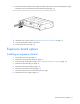
7. Remove the expansion slot cover from the PCI riser cage.
8. Remove the PCI riser cage (on page 23).