
HP ProLiant SL250s Gen8 Server User Guide

Hardware options installation 61
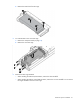
b.
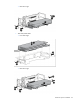
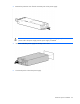
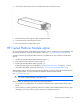
Remove the GPU blank from the cage.
5. To install the GPU in the rear GPU cage:
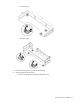
a. Remove the interposer board (on page 18).
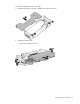
b. Remove the rear GPU cage.
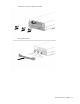
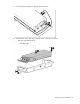
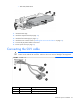
6. Remove the GPU cage standoffs:
o When installing the Tesla K20/K20X GPUs, remove the three standoffs.
o When installing the Tesla K10 and GRID K2 GPUs, remove the two rear standoffs. Do not remove
the single standoff on the front of the cage.