
HP ProLiant SL210t Gen8 Plus Server Maintenance and Service Guide




Removal and replacement procedures 44
5.
In a 2U node configuration:
a. Remove the PCI riser cage (on page 24).
b. Remove the 2U adapter board bracket (on page 26).
c. Disconnect and remove the Mini-SAS cable ("Remove the Mini-SAS cable" on page 26).
d. Remove the 2U air baffle (on page 29).
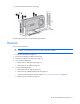
6. Remove the FlexibleLOM riser cage.
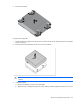
7. Disconnect all cables connected to the system board ("System board components" on page 61).
8. Remove all DIMMs ("DIMMs" on page 33).
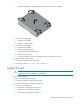
9. Remove the heatsink ("Heatsink" on page 41).
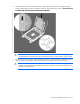
10. Open each of the processor locking levers in the order indicated, and then open the processor retaining
bracket.