
HP ProLiant SL210t Gen8 Plus Server Maintenance and Service Guide




Removal and replacement procedures 42
6.
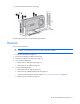
Remove the heatsink.
To replace the component:
1. Clean the old thermal grease from the processor with the alcohol swab. Allow the alcohol to evaporate
before continuing.
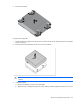
2. Remove the thermal interface protective cover from the heatsink.
CAUTION: Heatsink retaining screws should be tightened in diagonally opposite pairs (in an "X"
pattern).
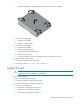
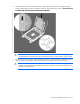
3. Install the heatsink:
a. Position the heatsink on the processor backplate.
b. Tighten one pair of diagonally opposite screws halfway, and then tighten the other pair of screws.