
HP ProLiant SL170z G6 Server Maintenance and Service Guide


Contents 72
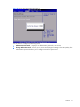
To set a new administrator password:
1. In the Security screen, select a set password field - Change Admin Password, and then press Enter.
2. Type a new password in the Enter New Password box.
3. Retype the password to verify the first entry, and then press Enter.
4. Press F10 to close the Setup Utility.
5. After setting the password, Setup automatically sets the password check to Setup.
Boot Menu
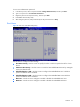
Figure 59 Boot menu of the BIOS Setup Utility
Use this menu to configure the boot settings.
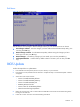
• Boot Device Priority – Use this screen to specify the order in which the system checks for a boot
device.
• USB Device Boot Priority – Use this screen to control the latest added USB Functions by setting the
item to the desired value.
• Embedded NIC Port 1 PXE – Use this screen to configure the embedded NIC Port 1 PXE boot
option. The default value is enabled.
• Embedded NIC Port 2 PXE – Use this screen to configure the embedded NIC Port 2 PXE boot
option. The default value is Disabled.
• NIC1 Port – Use this screen to configure to enable or disable the embedded NIC1 Port.
• NIC2 Port – Use this screen to configure to enable or disable the embedded NIC2 Port.