
HP ProLiant SL170z G6 Server Maintenance and Service Guide





Contents 52
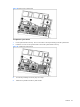
Figure 35 Removing the system board
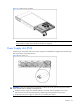
To replace the system board:
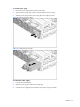
1. Put the system boards on the tray. The six screw holes on the tray should align with the system board.
2. Fasten the six screws on the system boards to secure the system boards to the tray.
Figure 36 Installing the system board
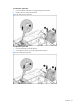
3. Push the tray assembly into the tray bay until it stops.
4. Rotate the tray handle until the tray latch catches.