HP ProLiant SL170z G6 Server Maintenance and Service Guide
Manuals
Brands
HP Manuals
Server
HP ProLiant SL170z G6 Server
41
42
43
44
45
46
47
48
49
50
Contents
48
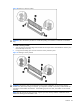
Figure
28
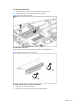
Removing the
PCI
e
card
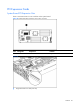
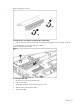
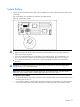
To install the
PCIe
card:
1.
Open the
PCIe
latch.
2.
Remove
PCIe
card or blank.
3.
Pu
sh
the
PCIe
card
into riser c
ard connector.
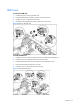
4.
Close
PCIe
latch.
5.
Install screws.
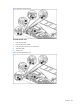
Figure
29
Installing the
PCIe
ca
rd
1
...
...
46
47
48
49
50
...
...
85