
HP ProLiant SL170s G6 Server Software Configuration Guide
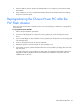


Table Of Contents
- HP ProLiant SL170s G6 ServerSoftware Configuration Guide
- Notices
- Contents
- System BIOS configuration
- OS installation
- Server management
- Index
System BIOS configuration 42
7. Insert the USB key into the system to be flashed and turn it on using the power button to flash
system BIOS.
8. Upon completion, the user is notified that the BIOS Flash was successful. Remove the USB key
and power cycle the system.
Reprogramming the Chassis Power PIC after the
FW Flash disaster
If the Power PIC FW becomes corrupted, use the crisis recovery floppy or USB key to reprogram the
Power PIC FW.
To reprogram the Power PIC FW:
1. Perform the pre-installation procedures.
2. Connect an USB floppy drive or HP crisis recovery USB key to one of the USB ports on the
server.
3. If you use USB floppy to do the disaster recovery, please insert the HP crisis recovery floppy disk
into the floppy drive.
4. Power on the system and wait for about 10 Minutes.
5. Reboot the system to check the system can boot normally or not.
6. If the system can't boot, please rebuild the HP crisis recovery USB key or floppy disk, then redo
step 2 to step 5.
To create a HP crisis recovery USB key or floppy disk, download the Carbondale III Firmware
Upgrade for USB Key Media from HP.com and follow the installation instructions under the
installation tab on HP.com.