
HP ProLiant SL170s G6 Server Software Configuration Guide
Table Of Contents
- HP ProLiant SL170s G6 ServerSoftware Configuration Guide
- Notices
- Contents
- System BIOS configuration
- OS installation
- Server management
- Index
System BIOS configuration 38
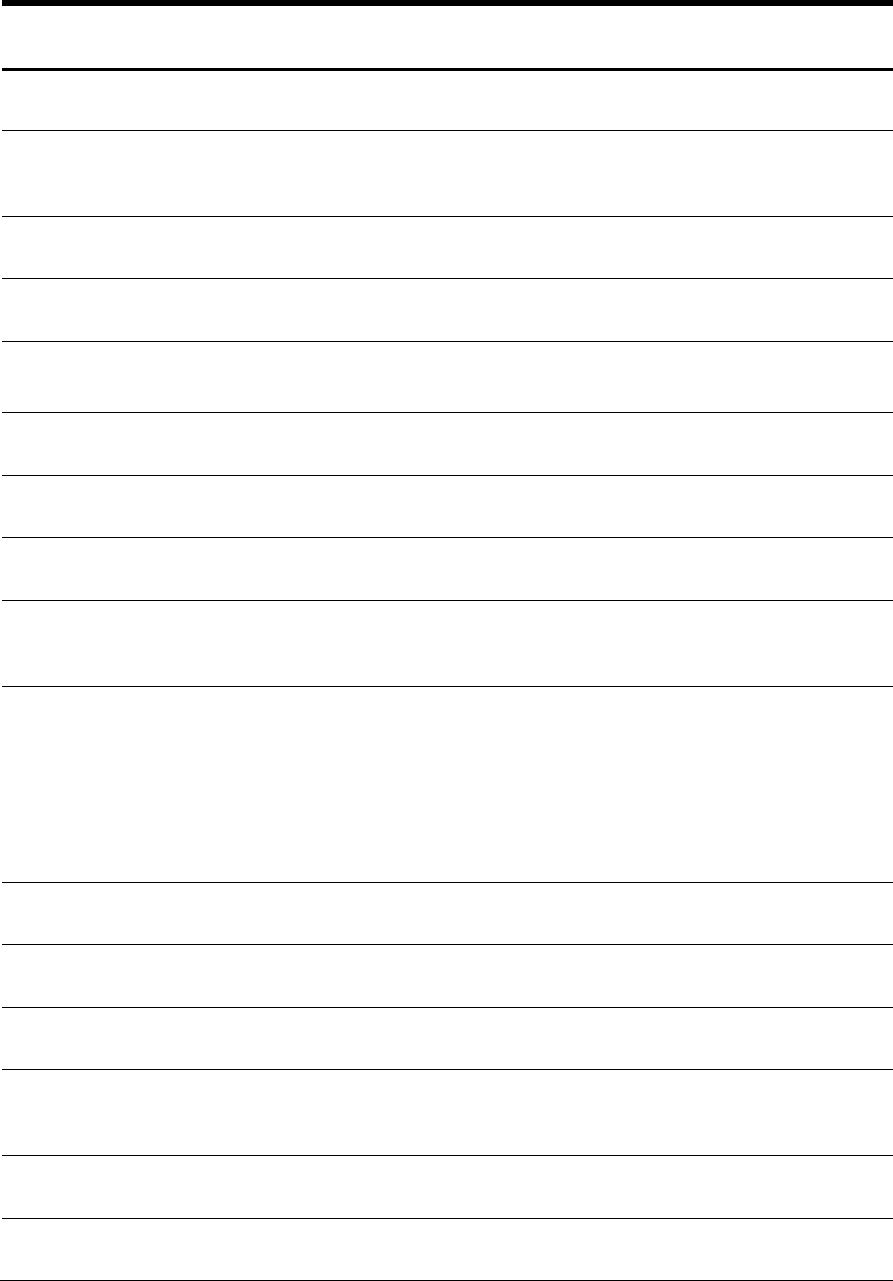
Table 23 POST Error Messages
Error
code
Error message Description/corrective action
010h Floppy Controller Failure
The floppy controller initialized failed, the devices could
not use normally
012h CMOS Date/Time Not Set
The CMOS date and/or time are invalid. This error can
be resolved by readjusting the system time in the Setup
Utility.
048h Password check failed
Password is incorrect after retried a few times. Users might
need to reset the password.
04Ch Keyboard/Interface Error
Keyboard controller failed test. This may indicate a
problem with system hardware.
05Dh S.M.A.R.T. Status BAD, Backup and Replace
Hard Disk S.M.A.R.T feature test fail ,indicate a problem
with hard disk
05Eh Password check failed
If user input incorrect password more than three times,
then display this error information and continue to boot.
110h
Un-correctable DRAM ECC Error detected at
cpuXX/DIMM0X (cpu01/DIMM08)
Detect multi-bit error in the DIMM prompt, press F1
continue to boot
500h Unsupported Processor
When install the processor which isn’t in PTM, this will
appear.
608h
Fan Solution Not Sufficient!
Critical Failure Detected - System Shutting
Down in xx seconds!
If one or more fan are missing, this message will appear
with 'system fan x missing' together.
609h
Temperature Violation Detected! Waiting 5
minutes for system to cool. Press ESC Key to
resume booting without waiting for the
system to cool. Warning: Pressing ESC is
NOT recommended as system may shutdown
unexpectedly. Recheck Temperature in xxx
seconds!
If system detects one or more temperature sensor over
heat.
611h System Event Log full
If system can not store any more event log, this will
appear at post.
613h Power Supply Mismatch Error - System Halted
When different vendor power supplies installed, this will
appear and system will halt.
626h
BMC Recovery Jumper Set or BMC Firmware
corrupted!
When install the Jumper J53 or BMC firmware corrupt,
this will appear.
628h
Inlet Ambient Sensor Cable Did Not Get
Plugged or Came Loose!
When unistall Inlet Ambient sensor board or the sensor
board cable get loose, this will appear and fan will run at
full speed.
630h
Power Supply 1 Failure or Power Supply
Unplugged!
When powers supply 1 installed and power cable is not
connected or the power is failed, this will appear.
631h
Power Supply 2 Failure or Power Supply
Unplugged!
When powers supply 2 installed and power cable is not
connected or the power is failed, this will appear.