
HP ProLiant SL170s G6 Server Software Configuration Guide
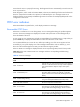
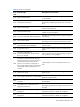
Table Of Contents
- HP ProLiant SL170s G6 ServerSoftware Configuration Guide
- Notices
- Contents
- System BIOS configuration
- OS installation
- Server management
- Index
System BIOS configuration 37
ensure that the server is properly functioning. This diagnostic function automatically runs each time the
server is powered on.
These diagnostics, which reside in the BIOS ROM, isolate server-related logic failures and indicate the
board or component that needs to be replaced, as indicated by the error messages. Most server
hardware failures are accurately isolated during POST. The number of tests displayed depends on the
configuration of the server.
POST error indicators
When POST detects a system failure, it will display a POST error message.
Recoverable POST Errors
Whenever a non-fatal error occurs during POST, an error message describing the problem appears
onscreen. These text messages are displayed in normal video (white text on black background). It
shows the details of the error.
In some cases an error message may include recommendations for troubleshooting or require that you
press the Enter key to display recommendations. Follow the instructions on the screen.
It is recommended that you correct the error before proceeding, even if the server appears to boot
successfully. If your system displays one of the messages marked below with an asterisk (*), write
down the code and message and contact your HP Customer Support provider.
When no POST error message is displayed but the server stops during POST, listen for beep codes.
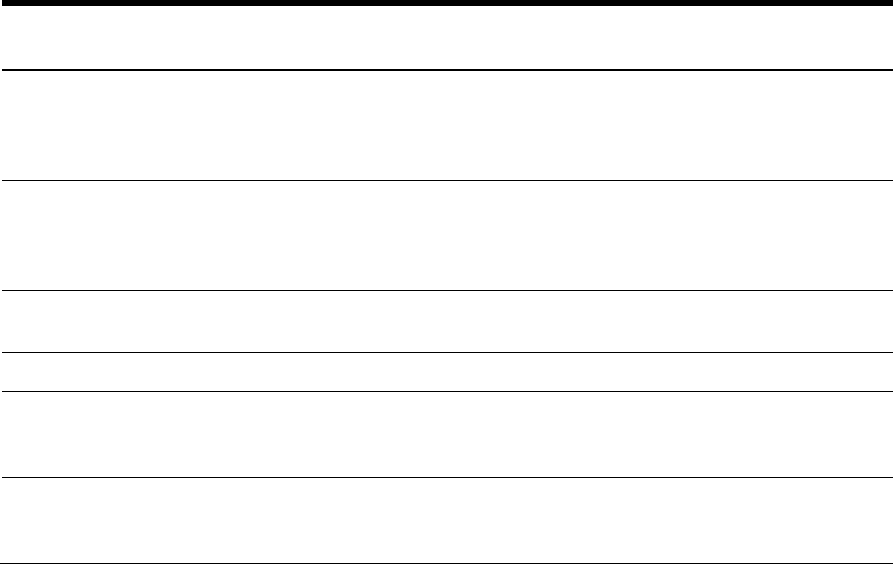
Table 23 lists the most common POST error messages with their corresponding troubleshooting
recommendation.
Table 23
POST Error Messages
Error
code
Error message Description/corrective action
000h Timer Error
Indicates an error while programming the count register of
channel 2 of the 8254 timer. This may indicate a problem
with system hardware. Requires repair of the system
board.
003h CMOS Battery Low
CMOS Battery is low. This message usually indicates that
the CMOS battery needs to be replaced. It could also
appear when the users intentionally discharge the CMOS
battery.
004h CMOS Settings Wrong
CMOS settings are invalid. This error can be resolved by
using F9 to load optimal default in the Setup Utility.
00Ah
KBC BAT Test failed
Bat test on keyboard controller failed
00Eh A: Drive Error
The A: drive could not be properly initialized by the BIOS.
This message is typically displayed when the BIOS is
trying to detect and configure floppy devices in POST
00Fh B: Drive Error
The B: drive could not be properly initialized by the BIOS.
This message is typically displayed when the BIOS is
trying to detect and configure floppy devices in POST