
HP ProLiant SL165z G7 Server Software Configuration Guide

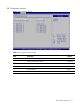

System BIOS configuration 9
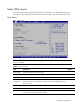
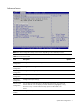
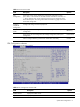
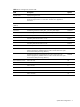
Table 4 CPU Configuration submenu fields
Field Description Options
Logical Count Display the logical count.
CPU Information Select which physical CPU’s information to display. Note: Zero is always
the “Boot Strap Processor” or main CPU. All others are “Application
Processors”.
AMD Virtualization
(AMD-V)
Disable AMD Virtualization. Disabled
Enable AMD Virtualization. Enabled
PowerNow Disable the generation of ACPI_PPC, _PSS, and _PCT objects. Disabled
Enable the generation of ACPI_PPC, _PSS, and _PCT objects. Enabled
Power Capping Select the performance P-state 0 in OS. P-state 0
Select the performance P-state 1 in OS. P-state 1
Select the performance P-state 2 in OS. P-state 2
Select the performance P-state 3 in OS. P-state 3
Select the performance P-state 4 in OS. P-state 4
Hardware Prefetcher Enable the hardware components that are used in conjunction with
software programs to prefetcher data in order to shorten execution cycles
and maximize data processing efficiency.
Enabled
Disable the hardware components that are used in conjunction with
software programs to prefetcher data in order to shorten execution cycles
and maximize data processing efficiency.
Disabled
Active Processor Cores Active all cores. All
Active 2 cores. 2
Active 4 cores. 4
Active 6 cores. 6
Active 8 cores. 8
Active 10 cores. 10