
HP ProLiant SL165z G7 Server Software Configuration Guide


System BIOS configuration 8
Table 3 Advanced menu fields
Field Description Options
USB
Configuration
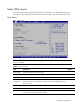
These items control various USB devices, from the USB configuration screen,
press <Enter> to the sub menu for the USB controller and USB 2.0 controller, use
** keys to select an item .use the <plus>and <minus> keys to change the value
of the selected option. The setting is described on the following pages .the screen
for the USB configuration.
OnBoard
Peripherals
Configuration
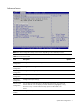
Configure the settings of onboard peripherals.
Power Efficiency
Mode
Impact groups as CPU Configuration/CPU Bridge Configuration/PCI Express
Configuration.
Efficiency
Impact groups as CPU Configuration/CPU Bridge Configuration/PCI Express
Configuration.
Performance
Allow to configure Efficiency/Performance related items individually.
Custom
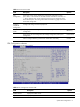
CPU Configuration submenu
Figure 3 CPU Configuration submenu
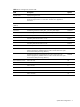
Table 4 CPU Configuration submenu fields
Field Description Options
Module Version Display the module version.
Physical Count Display the physical count.