
HP ProLiant SL165z G7 Server Software Configuration Guide

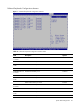

System BIOS configuration 17
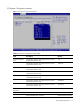
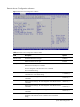
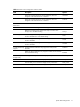
Table 9 Remote Access Configuration submenu fields
Field Description Options
Select Flow Control settings for console redirection. This item
disappears when Remote Access is disabled.
Hardware
Select Flow Control settings for console redirection. This item
disappears when Remote Access is disabled.
Software
Redirection After
BIOS POST
Turn off the redirection after POST. Disabled
Redirection is active during POST and during Boot Loader. Boot Loader
Redirection is always active. (Some OSes may not work if set to
Always) This is the default setting.
Always
Terminal Type Select the target Terminal Type. This item disappears when Remote
Access is disabled. This is the default setting.
ANSI
Select the target Terminal Type. This item disappears when Remote
Access is disabled.
VT100
Select the target Terminal Type. This item disappears when Remote
Access is disabled.
VT-UTF8
VT-UTF8 Combo Key
Support
Disable VT-UTF8 Combination Key Support for ANSI/VT100
terminals.
Disabled
Enable VT-UTF8 Combination Key Support for ANSI/VT100 terminals.
This is the default setting.
Enabled
Sredir Memory
Display Delay
Do not give the delay in seconds to display memory information. No Delay
Give the delay in one second to display memory information. Delay 1 Sec
Give the delay in two seconds to display memory information. Delay 2 Sec
Give the delay in four seconds to display memory information. Delay 4 Sec