
HP ProLiant SL165z G7 Server Software Configuration Guide


System BIOS configuration 16
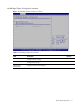
Remote Access Configuration submenu
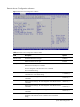
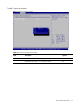
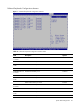
Figure 8 Remote Access Configuration submenu
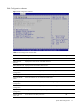
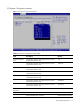
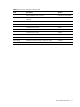
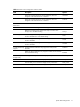
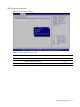
Table 9 Remote Access Configuration submenu fields
Field Description Options
Remote Access Disable the Remote Access type. Disabled
Enable the Remote Access type. Enabled
Serial port number Select Serial Port for console redirection.
Make sure the selected port is enabled.
This item disappears when Remote Access is disabled.
This is the default setting.
COM1
Serial Port Mode Select Serial Port settings. This item disappears when Remote Access
is disabled. This is the default setting.
115200 8,n,1
Select Serial Port settings. This item disappears when Remote Access
is disabled.
57600 8,n,1
Select Serial Port settings. This item disappears when Remote Access
is disabled.
38400 8,n,1
Select Serial Port settings. This item disappears when Remote Access
is disabled.
19200 8,n,1
Select Serial Port settings. This item disappears when Remote Access
is disabled.
09600 8,n,1
Flow Control Select Flow Control settings for console redirection. This item
disappears when Remote Access is disabled. This is the default
setting.
None