
HP ProLiant SL165z G7 Server Maintenance and Service Guide

Diagnostic tools and setup utilities 86
Advanced menu
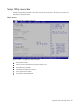
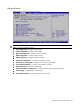
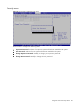
Figure 78 Advanced Menu of the BIOS Setup Utility
WARNING: Incorrect settings may cause the server to malfunction. To correct the settings, press the
F9 key to restore the default settings.
• CPU Configuration—Configure CPU settings.
• SATA Configuration—Configure IDE settings.
• Memory Configuration—Configure memory settings.
• AHCI Configuration—Configure AHCI settings.
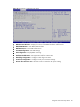
• IPMI Configuration—Configure IPMI 2.0 settings.
• PCI Express Configuration—Configure PCI Express settings.
• Remote Access Configuration—Configure the remote access settings.
• Trusted Platform Module—Configure trusted platform module.
• USB Configuration—Configure USB settings.
• OnBoard Peripherals Configuration—Configure the settings of onboard peripherals.
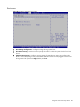
• Virtual Floppy—Enable/disable virtual floppy.
• Power Efficiency Mode—Select the power efficiency mode.