HP ProLiant SL165z G7 Server Maintenance and Service Guide
Manuals
Brands
HP Manuals
Server
HP ProLiant SL165z G7 Server
71
72
73
74
75
76
77
78
79
80
Removal and replacement procedures
72
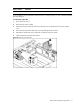
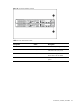
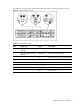
To reinstall the system fan:
1.
Hold the system fan and press it into the syst
em fan bracket.
2.
Connect the system fan cable to
its corresponding board connector.
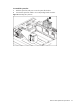
Figure 67
Reinstalling the System Fan
1
...
...
70
71
72
73
74
...
...
97