
HP ProLiant SL165z G6 Server Software Configuration Guide

Contents 24
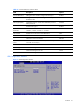
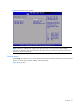
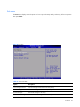
Figure 22
Boot Menu
Table 17 Boot Menu fields
Field Descri
p
tion
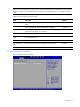
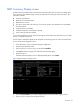
Boot Device Priority Use this screen to specify the order in which the system checks for the device to boot
from. To access this screen, select Boot Device priority on the Boot setup screen and
press <Enter>, the following screen displays.
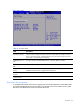
Embedded NIC Port 1
PXE
The option specifies the embedded NIC Port 1 PXE .the default is enabled.
Embedded NIC Port 2
PXE
The option specifies the embedded NIC Port 2 PXE .the default is disabled.
USB Device Boot
Priority
Set the
USB Device Boot Priority as “Hi
g
h” or “Low”, “Hi
g
h” means that the
USB Device Boot Priority is higher than Hard Drive.
Embedded NIC Port2
Control
Disable or Enable the embedded NIC port2.
Wake-On LAN
Disable or Enable the Wake on LAN function of the system.
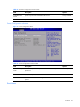
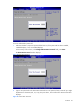
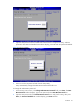
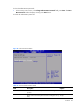
Boot Device Priority submenu
To change the boot order, select a boot category type such as Hard disk drives, Removable media
or ATAPI CD ROM devices from the boot menu. For example, if the 1st boot device is set to Hard
disk drives, then BIOS will try to boot to hard disk drives first.