
HP ProLiant SL165s G7 Server Software Configuration Guide

System BIOS configuration 16
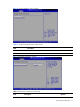
IPMI Configuration submenu
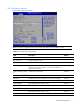
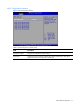
Figure 9 IPMI Configuration submenu
Table 8
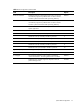
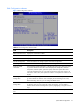
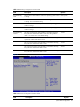
IPMI Configuration submenu fields
Field Description
BMC Firmware Revision Display the current status of BMC.
BMC/IPMI FW Date Display the date of the BMC/IPMI firmware.
BMC SDR Version Display the current version of the BMC SDR.
Set LAN Configuration Access the submenu to configure Option of Set LAN Configuration.
SEL Configuration Access the submenu to configure Option of SEL Configuration.
Hardware health
information
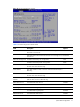
Select Hardware Health Information in the left frame of the screen and press<enter>
to go to the submenu for that item. That will display CPU temperature, ambient
temperature, CPU fan speed, system fan speed, chassis fan speed. These items
cannot be changed by the user. It accords with the sense of the case. If there is LV
CPU and no card in slot1, then System Fan 6 Rotor 1 and System Fan 6 Rotor 2 no
display.
Watchdog
Configuration
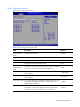
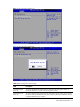
Select Watchdog Configuration in the left frame of the screen and press<enter> to
go to the submenu for that item. That will display POST Watchdog Timer Action,
BMC Watch Dog Time Out; you can change the default value.
Serial Port
Configuration
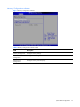
Select Serial Port Configuration in the left frame of the screen to go to the submenu
for that item. Then you can press Enter to enter its submenu. You can display a
submenu about Serial Port Configuration option by highlighting it using the <Arrow>
keys.
Restore after AC Power
Loss
You can select this option to choose which action to be performed after power loss.