
HP ProLiant SL165s G7 Server Software Configuration Guide

System BIOS configuration 11
CPU Configuration submenu
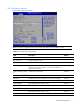
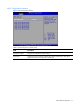
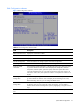
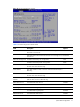
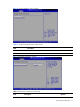
Figure 5 CPU Configuration submenu
NOTE: The CPU Configuration setup screen varies depending on the installed processor.
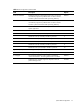
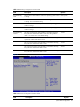
Table 4 CPU Configuration submenu fields
Field Description Options
Module Version Display the module version.
Physical Count Display the physical count.
Logical Count Display the logical count.
CPU Information Select which physical CPU’s information to display. Note: Zero is
always the “Boot Strap Processor” or main CPU. All others are
“Application Processors”.
AMD Virtualization (AMD-
V)
Disable AMD Virtualization. Disabled
Enable AMD Virtualization. Enabled
PowerNow Disable the generation of ACPI_PPC, _PSS, and _PCT objects. Disabled
Enable the generation of ACPI_PPC, _PSS, and _PCT objects. Enabled
Power Capping Select the performance P-state 0 in OS. P-state 0
Select the performance P-state 1 in OS. P-state 1
Select the performance P-state 2 in OS. P-state 2
Select the performance P-state 3 in OS.
P-state 3
Select the performance P-state 4 in OS. P-state 4