
HP ProLiant SL160z G6 Server Software Configuration Guide


System BIOS configuration 16
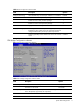
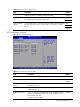
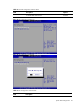
Table 8 USB Configuration submenu fields
Field Description Options
Configure the USB 2.0 controller in FullSpeed(12Mbps). FullSpeed
Enabled BIOS EHCI Hand-
Off
This is a workaround for OSes without EHCI hand-off support. The EHCI
ownership change should claim by EHCI driver.
Disabled
Auto
Enabled
Hotplug USB FDD
Support
A dummy FDD device is created that will be associated with the hotplugged
FDD later. Auto option creates this dummy device only if there is no FDD
present.
Disabled
PCI Configuration submenu
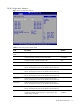
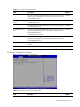
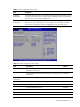
Figure 10 PCI Configuration submenu
Table 9
PCI Configuration submenu fields
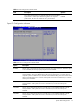
Field Description Options
Embeded VGA Control Select which graphics controller to use as the primary boot device. Auto Detect
Always enable on board VGA. Always
Enabled
Embeded NIC Port 1
Control
The option specifies the embedded NIC1. Allows the user to enable of
embedded NIC1 Port.
Enabled
The option specifies the embedded NIC1. Allows the user to disable
of embedded NIC1 Port.
Disabled
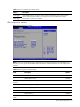
Embedded NIC Port 1
PXE
The option specifies the embedded NIC Port1 PXE, Allows the user to
enable of any embedded NIC Ports. Should be one SETUP option for
each embedded NIC Port.
The default setting is Enabled.
Enabled