
HP ProLiant SL160z G6 Server Software Configuration Guide

System BIOS configuration 15
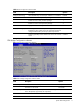
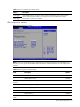
Table 7 IO Device Configuration submenu fields
Option Description
Level trigger
Edge trigger
Controls IRQ trigger for serial port. Use to resolve issues that may occur with serial port
support. VMware requires Edge to provide optimum serial port performance. Note:
Only applies with serial port at IRQ4.
USB Configuration submenu
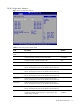
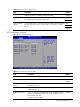
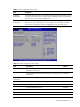
Figure 9 USB Configuration submenu
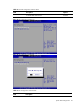
NOTE: When you install USB storage, USB Mass Device Configuration items are displayed. From
this item, you can get some information about the device, some information you can configure it if
needed.
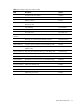
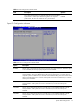
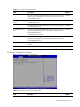
Table 8 USB Configuration submenu fields
Field Description Options
USB Functions Enable USB Functions. Enabled
Disable USB Functions. Disabled
Legacy USB
Support
Enables support for legacy USB. Enabled
Disables support for legacy USB. Disabled
Disables legacy support if no USB devices are connected. Auto
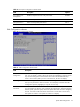
USB 2.0 Controller Enable USB 2.0. Enabled
Disable USB 2.0 Disabled
USB 2.0 Controller
Mode
Configure the USB 2.0 controller in HiSpeed (480Mbps). HiSpeed