
HP ProLiant SL160z G6 Server Software Configuration Guide

System BIOS configuration 14
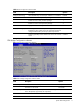
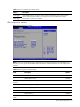
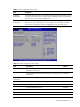
Table 6 SATA Configuration submenu fields
Field Description Options
Drive Write Cache feature on all dumb SATA drives to be enabled
System BIOS or SATA option ROM during POST. This improves
performance, but at a risk of data loss on a power failure.
Enabled
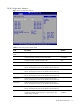
Super IO Configuration submenu
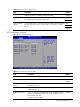
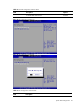
Figure 8 Super IO Configuration submenu
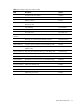
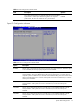
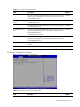
Table 7
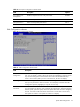
IO Device Configuration submenu fields
Option Description
Disabled Set this value to prevent the serial port from accessing any system resources. When this option
is set to Disabled, the serial port physically becomes unavailable.
3F8/IRQ4 Set this value to allow the serial port to use 3F8 as its I/O port address and IRQ 4 for the
interrupt address. This is the default setting. The majority of serial port 1 or COM1 ports on
computer systems use IRQ4 and I/O Port 3F8 as the standard setting. The most common serial
device connected to this port is a mouse. If the system will not use a serial device, it is best to
set this port to Disabled.
2F8/IRQ3 Set this value to allow the serial port to use 2F8 as its I/O port address and IRQ 3 for the
interrupt address. If the system will not use a serial device, it is best to set this port to
Disabled.
3E8/IRQ4 Set this value to allow the serial port to use 3E8 as its I/O port address and IRQ 4 for the
interrupt address. If the system will not use a serial device, it is best to set this port to
Disabled.
2E8/IRQ3 Set this value to allow the serial port to use 2E8 as its I/O port address and IRQ 3 for the
interrupt address. If the system will not use a serial device, it is best to set this port to
Disabled.