
HP ProLiant SL160z G6 Server Software Configuration Guide


System BIOS configuration 11
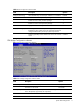
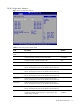
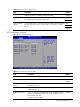
Table 4 CPU Configuration submenu fields
Field Description Options
Intel(R) HT Technology When disabled only one thread per enabled core is enabled. Enabled
Active Processor Cores Enable all cores in each processor package. All
Enable one core in each processor package. 1
Enable two cores in each processor package. 2
A20M Legacy OSes and APs may need A20M enabled. Disabled
Intel(R) SpeedStep(tm) tech This setting is available if the processor supports SpeedStep.
Enabling this value will let CPU run at appropriate speed and
voltage as determined by the OS per system requirements.
Enabled
Disabling SpeedStep ensures that the CPU will run at maximum
speed.
Disabled
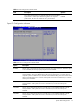
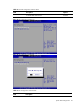
CPU Bridge Configuration submenu
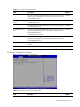
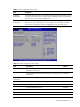
Figure 6 CPU Bridge Configuration submenu
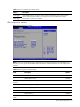
Table 5
CPU Bridge Configuration submenu fields
Field Description Options
QPI Links Speed Transfer the QPI links to full-speed. Full-Speed
Leave them in slow-mode. Slow-Mode
QPI Frequency Transfer the links to the specified speed when transitioning the
links to full-speed.(if supported by all components).
Auto
Transfer the links to 4.800GT 4.800GT
Transfer the links to 5.866GT 5.866GT