
HP ProLiant SL160z G6 Server Maintenance and Service Guide



Diagnostic tools and Setup Utilities 69
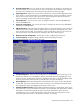
• Watchdog Configuration –Select Watchdog Configuration in the left frame of the screen and
press<enter> to go to the submenu for that item. That will display POST Watchdog Timer Action,
BMC Watch Dog Time Out; you can change the default value.
• Serial Port Configuration –Select Serial Port Configuration in the left frame of the screen to go to
the submenu for that item. Then you can press Enter to enter its submenu. You can display a
submenu about Serial Port Configuration option by highlighting it using the <Arrow> keys.
Security Menu
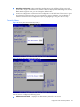
Figure 58 Security menu of the BIOS Setup Utility 1
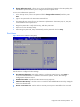
Figure 59 Security menu of the BIOS Setup Utility 2
Use this menu to configure the following items:
• Administrator Password --- Display if an administrator password is Set or Not.