
HP ProLiant SL160z G6 Server Maintenance and Service Guide



Removal and Replacement Procedures 51
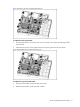
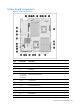
Figure 37 Removing the 160 system board from the tray
To replace the 160 system board:
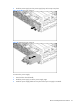
1. Put the system board in the chassis. The nine screw holes on the chassis should align with the
system board.
2. Fasten the nine screws on the system board to secure the system board to the chassis.
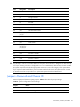
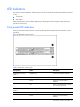
Figure 38 Reinstalling the160 system board to the tray
To replace the tray with system board:
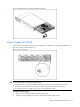
1. Push the tray assembly into the tray bay until it stops.
2. Rotate the tray handle until the tray latch catches.