
HP ProLiant SL160z G6 Server Maintenance and Service Guide



Removal and Replacement Procedures 48
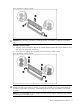
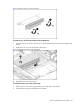
Figure 32 Removing the PCIe card
To install the PCIe card:
1. Open the PCIe latch.
2. Remove PCIe card or blank.
3. Push the PCIe card into riser card connector.
4. Close PCIe latch.
5. Install screws.
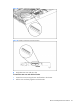
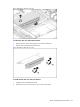
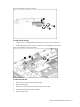
Figure 33 Installing the PCIe card
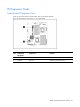
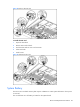
System Battery
The server uses nonvolatile memory that requires 2 batteries to retain system information when power
is removed.
This 3-volt lithium coin cell battery is located on the system board.