
HP ProLiant SL160z G6 Server Maintenance and Service Guide



Removal and Replacement Procedures 46
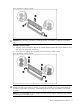
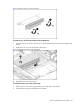
Figure 28 Remove the PCIe X4 Cage
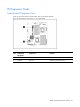
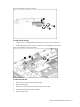
To remove the PCIe X4 riser card:
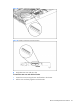
1. Remove the screw that secures the riser card to the cage.
2. Pull the PCIe card out and away from the PCIe X4 cage.
Figure 29 Removing the Riser Card X4
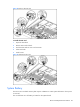
To install the PCIe riser card to the cage:
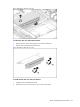
1. Align the PCIe X4 riser card to the PCIe X4 Cage.
2. Install and tighten the two screws that secure the riser card to the riser card cage.