Removal and Replacement Procedures 36
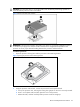
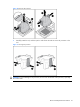
To install the new processor:
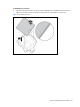
1. Carefully insert the processor into the processor installation tool. Handle the processor by the
edges only, and do not touch the bottom of the processor, especially the contact area.
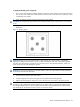
Figure 12 Inserting the processor