
ProLiant ML570 Generation 4 Server Maintenance and Service Guide

Server component identification 83
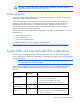
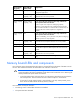
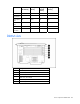
System LED and
color
Internal health
LED color
Status
DIMM failure, slot X
(amber)
Flashing red
• DIMM in slot X has failed.
• DIMM has experienced a multi-bit error.
DIMM failure, slot X
(amber)
Flashing amber
• DIMM in slot X has reached single-bit correctable error
threshold.
• DIMM in slot X is in a pre-failure condition.
DIMM bank error (all
slots in one bank,
amber)
Flashing red The bank is not populated entirely or DIMMs do not all
match within the bank.
DIMM failure (all
slots, amber)
Flashing red
• No valid or usable memory is installed in the system.
• The banks are not populated in the correct order.
System temperature
alert (amber)
Flashing red System temperature has exceeded OS cautionary level or
critical hardware level.
Fan (amber) Flashing red A required fan has failed.
Fan (amber) Flashing amber A redundant fan has failed.
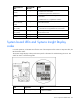
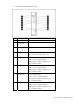
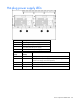
System board LEDs and Systems Insight Display
codes
In normal operations, all the LEDs are off unless one of the components fails. When a component fails, the
LED illuminates amber.
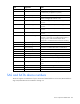
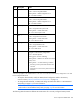
The Systems Insight Display codes provide more specific information for troubleshooting the server. The
codes are shown in the following table.
Code Component Status
01 Power supply cable(s) System board to power supply cables: defective cables
or cables not installed