
ProLiant ML570 Generation 4 Server Maintenance and Service Guide

Removal and replacement procedures 57
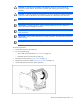
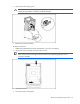
CAUTION: To prevent possible server malfunction or damage to the equipment, be sure to
completely close the processor locking lever.
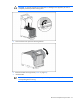
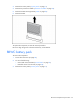
5. Close and secure the processor retaining bracket.
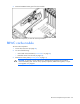
6. Remove the PPM retaining bracket ("PPM" on page 58).
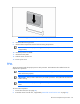
7. Install the PPM.
IMPORTANT: Always install a PPM when you install a processor. The system fails to boot if the
corresponding PPM is missing.