
ProLiant ML570 Generation 4 Server Maintenance and Service Guide

Removal and replacement procedures 56
6.
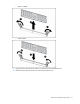
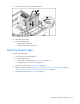
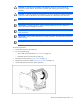
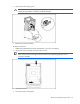
Open the processor locking lever.
CAUTION: Failure to completely open the processor locking lever prevents the processor from
seating during installation, leading to hardware damage.
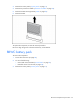
7. Remove the processor assembly.
To replace a processor:
1. Update the system ROM from the HP website (http://www.hp.com/support).
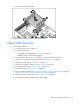
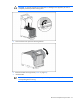
2. Align the processor assembly with the processor socket.
IMPORTANT: Determine the correct processor orientation by observing the guide pins on the
base of the processor retaining bracket and the three corresponding guide slots on the
processor assembly.
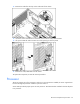
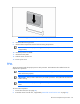
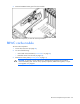
3. Install the processor.
4. Close the processor locking lever.