
ProLiant ML570 Generation 4 Server Maintenance and Service Guide

Removal and replacement procedures 45
4.
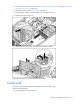
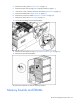
Remove the access panel ("Access panel" on page 31).
5. Remove the tape drive (on page 32) or tape drive blank (on page 31).
6. If the server is rack mounted, remove the rack bezel ("Rack bezel" on page 33).
7. Remove the media bezel ("Media bezel" on page 33).
8. Remove the processor air baffle ("Processor air baffle" on page 38).
9. Remove the center wall ("Center wall" on page 41).
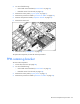
10. Disconnect all cabling from the SAS backplane.
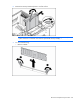
11. Remove the SAS hard drive cage. ("SAS/SATA hard drive cage" on page 43)
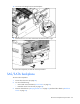
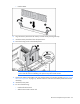
12. Remove the SAS/SATA backplane.
To replace the component, reverse the removal procedure.
Memory boards and DIMMs