
ProLiant ML570 Generation 4 Server Maintenance and Service Guide

Removal and replacement procedures 44
10.
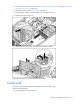
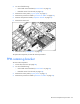
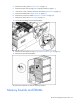
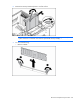
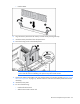
Disconnect all cabling from the SAS backplane.
11. Remove the six T-15 screws and remove the SAS hard drive cage.
To replace the component, reverse the removal procedure.
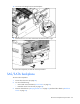
SAS/SATA backplane
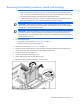
To remove the component:
1. Power down the server (on page 28).
2. Do one of the following:
o Unlock and remove the bezel ("Tower bezel" on page 29).
o Extend the server from the rack (on page 28).
3. Remove all hard drives ("Hot-plug hard drives" on page 36) and hard drive blanks ("Hard drive
blank" on page 35).