
ProLiant ML570 Generation 4 Server Maintenance and Service Guide

Removal and replacement procedures 40
5.
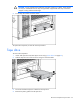
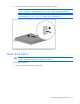
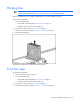
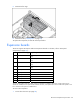
Remove the fan cage.
6. Remove the fans ("Hot-plug fans" on page 39).
To replace the component, reverse the removal procedure.
Expansion boards
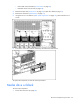
The server supports PCI Express and PCI-X expansion boards. For location, refer to "Rear panel
components (on page 78)."
Slot Expansion card type Capable speed
1 PCI-X 100 MHz* (slots 1 and 2 share the same
bus)
2 PCI-X 100 MHz* (slots 1 and 2 share the same
bus)
3 PCI-X 100 MHz* (slots 3 and 4 share the same
bus)
4 PCI-X 100 MHz* (slots 3 and 4 share the same
bus)
5 PCI Express x4
6 PCI Express x4
7 PCI Express x4
8 PCI Express x4
9 PCI Express x4
10 PCI Express x4
*HP recommends that cards with speeds of at least 100 MHz be installed in these slots. If cards with lower bus
speeds are installed, the bus speed will be reduced. However, server performance will not suffer if the speed on one
bus is slower than the speed on a different bus.
To remove the component:
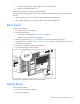
1. Power down the server (on page 28).