
ProLiant ML570 Generation 4 Server Maintenance and Service Guide

Removal and replacement procedures 37
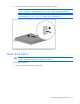
To replace the component, reverse the removal procedure.
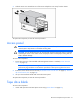
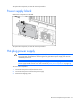
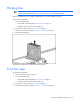
Power supply blank
Remove the component as indicated.
To replace the component, reverse the removal procedure.
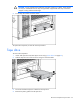
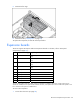
Hot-plug power supply
CAUTION: If only one power supply is installed, do not remove the power supply unless the
server has been powered down. Removing the only operational power supply will cause an
immediate power loss.
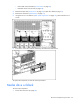
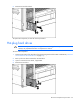
NOTE: To remove the primary hot-plug power supply, remove the shipping screw under the
power supply handle. Use the T-15 Torx screwdriver ("Rear panel components" on page 78).
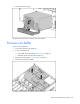
To remove the component:
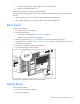
1. Disconnect the power cord from the AC source.
2. Disconnect the power cord from the power supply.
3. Remove the shipping screw.