
ProLiant ML570 Generation 4 Server Maintenance and Service Guide

Removal and replacement procedures 35
2.
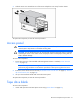
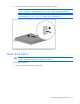
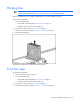
Push the optical device ejector button to eject the optical device or blank.
NOTE: Access to the ejector button is intentionally restricted. Push the ejector button with a T-
15 Torx screwdriver or a small flat object such as a key or pen to eject the optical device.
NOTE: The T-15 Torx screwdriver is shipped with some ProLiant servers and can be located on
the rear panel ("Rear panel components" on page 78) or inside the server.
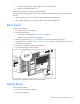
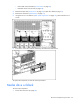
To replace the component, slide the component into the bay until it clicks.
Hard drive blank
CAUTION: To prevent improper cooling and thermal damage, do not operate the server unless
all bays are populated with either a component or a blank.
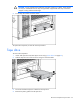
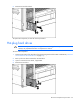
To remove the component:
1. Open or remove the tower bezel, if applicable.